

OpenClaw is an open-source AI agent that does things, not just answers questions. Connect it to your calendar, email, file system, or third-party APIs, and it carries out tasks on your behalf automatically, on a schedule, without you babysitting it. There are more practical OpenClaw use cases than most people realize, and this article walks through eight of them with example prompts and the integrations involved.
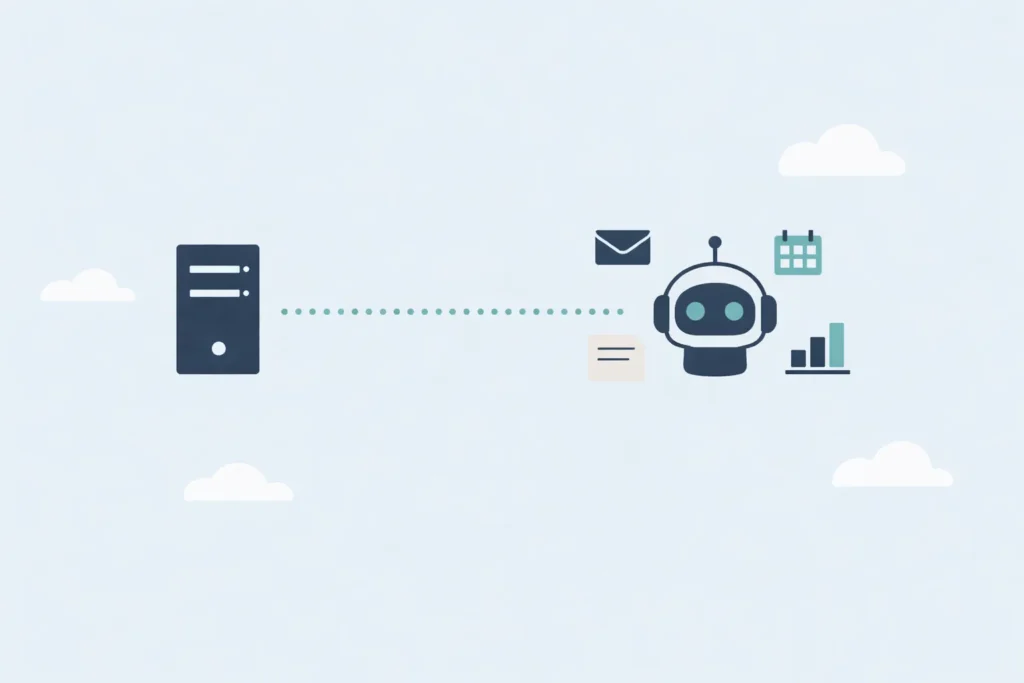
Most people run it locally on a laptop. That's also the least secure way to run it. A dedicated VPS for OpenClaw keeps it isolated from your personal machine, your files, and anything else you care about. The always-on uptime is a bonus.
8 OpenClaw Use Cases Worth Knowing About
Here's what this article covers:
- Custom Morning Brief: get a personalized daily summary sent to your phone on a schedule
- Brand Mention Monitoring: track what people say about your brand across the web
- Content Research and First Drafts: automate the upstream work before writing
- Content Repurposing: turn one piece of content into posts for every channel
- Receipt and Expense Logging: photo-to-spreadsheet expense tracking
- CI/CD Pipeline Failure Alerts: get pinged the moment a build breaks
- Private Document Summarization: summarize contracts locally, no third-party APIs
- Second Brain and Knowledge Base: text your agent things to remember and search them later
⚠️ Security Warning: Read This Before You Install Anything
OpenClaw has full system access on whatever machine it runs on. Always install it on an isolated VPS dedicated solely to OpenClaw. Never install it on your main computer, a server with sensitive data, or any machine running production workloads. Treat it like giving someone remote access to your machine, because that's effectively what it is. Proceed with caution.
This isn't a theoretical risk. OpenClaw can read files, execute shell commands, make API calls, and interact with any service you connect to it. A misconfiguration, a poorly written prompt, or a malicious instruction embedded in content it processes could have real consequences.
The use cases in this article are selected with this in mind. We've deliberately left out anything that involves production servers, live client data, payment systems, or sensitive credentials. The goal is useful automation in sandboxed, low-stakes environments, not handing an AI agent the keys to your infrastructure.
Give OpenClaw Its Own Dedicated Accounts
This is the single most important practical step before you connect OpenClaw to any service. Don't use your personal or business accounts. Create fresh, dedicated accounts with the minimum permissions needed, used only by OpenClaw.
Here's what that looks like across common services:
- Email: Create a new address used only by OpenClaw (e.g.
[email protected]). Never connect your main business inbox. - Discord / Slack: Add OpenClaw as a bot user with access only to specific channels, not your entire workspace.
- Calendar: Create a secondary calendar and share only that with OpenClaw, not your full schedule.
- Cloud storage / Google Drive: Create a dedicated folder and scope access to that folder only. Don't grant broad Drive access.
- Spreadsheets: Share only the specific file OpenClaw needs to read or write. Not your whole account.
- API keys: Generate separate API keys for OpenClaw across every service. If something goes wrong, you can revoke them without disrupting anything else.
- Social accounts: Never connect your main brand account. Use a secondary or testing account.
The logic is simple: if OpenClaw does something unexpected, you want the blast radius to be as small as possible. Dedicated accounts with narrow permissions are your first line of defense.
Additional Hardening on the VPS
Beyond dedicated accounts (and worth reading alongside this: our guide to securing a VPS):
- Run OpenClaw on a completely isolated VPS, not one that shares resources with anything else important. SSD Nodes' nested virtualization is worth considering here: you can run OpenClaw inside an isolated VM, keeping it air-gapped from anything else on the host.
- Use SSD Nodes' Advanced Firewall Groups to lock down which IPs can reach the VPS. There's no reason the agent's listener ports should be open to the entire internet.
- Take a snapshot of a clean, working OpenClaw install before connecting any integrations. If something breaks, you can restore in minutes.
- Enable detailed logging. When automated workflows behave unexpectedly, logs are how you find out what happened and why.
- Start with read-only workflows. Get comfortable with how the agent behaves before you give it write access to anything.
With that out of the way, here's what you can actually build.
OpenClaw Use Case 1: Custom Morning Brief
Who it's for: Developers, business owners, content creators, honestly anyone
Every morning at a set time, OpenClaw pulls together a personalized summary: top news in your niche, your calendar for the day, tasks you've queued up, weather, or anything else you want. It sends the whole thing to your messaging app so it's waiting when you wake up.
This is one of the best starting points because it's entirely read-only, immediately useful, and gives you a real feel for what scheduled automation is like in practice.
Example prompt:
Every morning at 7 AM, send me a brief via [messaging app] that includes:
1. Top 3 news stories relevant to [your niche] from the last 24 hours
2. My calendar events for today (from my dedicated OpenClaw calendar only)
3. Any tasks I've added to my list since yesterday
Keep it under 200 words and use plain language.
Integrations involved: A news/search API, a calendar API (read-only, dedicated calendar), a messaging API (dedicated bot account)
Use Case 2: Brand Mention Monitoring
Who it's for: Small business owners, content creators, marketers
Manually searching for mentions of your brand across the web is tedious and easy to forget. OpenClaw can handle a solid version of this automatically with a search API and a daily schedule, no expensive SaaS tool required.
Example prompt:
Every weekday at 9 AM, search for mentions of "[your brand name]" from the past 24 hours.
Summarize:
- Total mention count
- Overall sentiment (positive, neutral, negative)
- Any complaints or questions that might need a response
- Any notable coverage worth flagging
Send the report to my dedicated OpenClaw email address.
Integrations involved: A search API, an email API (dedicated sending address only not your main inbox)
Use Case 3: Content Research and First Drafts
Who it's for: Content creators, bloggers, marketers
The biggest time sink in content creation isn't writing, it's the research and structure work that happens before you open a doc. OpenClaw can handle that upstream process automatically, so you start each week with draft material ready to review rather than a blank page to fill.
Example prompt:
Every Monday at 8 AM, do the following:
1. Search for the top trending topics in [your niche] from the past week
2. Pick the 3 most promising angles based on search interest
3. Write a complete outline for the best one, with H2s and key points under each section
4. Write a full first draft, around [target word count], conversational tone
5. Generate a short social caption for the piece (under 280 characters)
6. Save everything to the /content/drafts/ folder and send me a summary
Integrations involved: A search API, a web scraping API (for research), an image generation API (optional, for thumbnail concepts), local file system
Use Case 4: Content Repurposing
Who it's for: Content creators, social media managers
You write one piece of long-form content and then spend another hour chopping it up for every other channel. OpenClaw can do that repurposing automatically once you hand it the original.
Example prompt:
Take this blog post and create:
1. An X/Twitter thread (8–10 posts, hook-first, punchy)
2. A LinkedIn post (professional tone, ~150 words, end with a question)
3. An email newsletter intro (~100 words, conversational)
4. Three short-form video script hooks based on the key points
Save each version as a separate file in /content/repurposed/[post-name]/
Integrations involved: Local file system, optionally a social scheduling API (dedicated account only, never your main brand account)
Use Case 5: Receipt and Expense Logging
Who it's for: Freelancers, small business owners
Send a photo of a receipt to OpenClaw. It extracts the vendor, date, amount, and category, then logs it as a new row in your expense spreadsheet. No manual entry, no end-of-month receipt pile to sort through.
Example prompt:
When I send you a receipt image, extract:
- Vendor name
- Date
- Total amount
- Best-fit category from: Software, Travel, Office, Advertising, Meals, Other

Log it as a new row in my expense spreadsheet.
If the category is unclear, flag it for my review rather than guessing.
Confirm each entry with a one-line summary.
Integrations involved: A vision/OCR API, a spreadsheet API (scoped to one dedicated expense sheet, not your full cloud storage account)
Use Case 6: CI/CD Pipeline Failure Alerts
Who it's for: Developers, DevOps engineers
Nobody wants to watch build dashboards all day, but finding out a deployment failed two hours after the fact isn't great either. OpenClaw can monitor your pipelines via read-only API access and ping you the moment something goes wrong, no production server access needed.
Example prompt:
Monitor my GitHub Actions workflows. Notify me in my dedicated channel when:
- Any workflow fails (include the commit message and a link to the failed run)
- A deployment workflow completes, success or failure
- Any test suite runs longer than 15 minutes
Ignore workflows tagged as non-critical.
Integrations involved: A version control platform API (read-only), a messaging API (dedicated bot scoped to a single notifications channel)
Use Case 7: Private Document Summarization
Who it's for: Freelancers reviewing contracts, small businesses handling internal reports
This one is for documents you don't want going through third-party APIs. Running OpenClaw on a VPS with a locally hosted language model means files never leave your server, which is useful for vendor contracts, NDAs, or internal documents where privacy matters.
Example prompt:
I'm uploading a vendor contract. Please:
1. Summarize the key terms in plain language
2. Flag any unusual clauses, auto-renewal terms, or price escalation provisions
3. Extract all dates and deadlines into a list
4. Note anything worth clarifying with the vendor before signing
Integrations involved: A locally hosted language model (run via a model serving tool), a document parser, local file system only
Note that this use case requires running OpenClaw alongside a local language model on the same machine. That's a more demanding setup than the other use cases here, so make sure your server has enough RAM and CPU headroom before going down this path.
Use Case 8: Second Brain and Personal Knowledge Base
Who it's for: Anyone who wants to stop losing ideas, links, and notes
The workflow: text your agent anything you want to remember. A book recommendation, a link, an idea that came to you mid-meeting, a task you thought of on the road. OpenClaw saves it with a timestamp and category. Later, you search through everything from the same chat interface to find what you need.
It's faster than Notion, simpler than a notes app with thousands of entries, and actually findable because the agent understands context rather than just matching keywords.
Example prompt:
I'm going to send you things I want to remember throughout the day.
Save each one with a timestamp, a category (book, link, idea, task, or other),
and a one-sentence summary. When I ask you to search my notes, return the most
relevant entries and tell me when they were saved.
Integrations involved: A messaging API (dedicated bot), local database or file storage
A Note on What We Left Out
You'll notice this list doesn't include automated server management, client onboarding pipelines, or incident response workflows, things that sound impressive but involve OpenClaw touching production systems, live client data, or financial infrastructure.
That's intentional. OpenClaw is technically capable of those workflows. But the risk profile is different, and "technically capable" isn't the same as "ready to trust with your production database at 2 AM." An agent with write access to live systems needs a much more rigorous security setup: proper secret management, strict permission scoping, thorough testing, and ideally a human in the loop for anything consequential.
Start with the OpenClaw use cases above. Get comfortable with how the agent behaves, where it surprises you, and what it gets wrong on low-stakes tasks. Once you've built that intuition, you're in a much better position to evaluate whether, and how, to expand its access.
Frequently Asked Questions About OpenClaw Use Cases
What can OpenClaw actually do?
OpenClaw can automate tasks that would normally require manual effort: sending scheduled reports, monitoring feeds, drafting content, logging data, summarizing documents, and alerting you when something breaks. It connects to external services via APIs and can run shell commands on the machine it's installed on. The range of OpenClaw use cases is broad, but the safest ones to start with are read-only, low-stakes workflows.
Is OpenClaw safe to use?
It can be, with the right setup. The biggest risk is giving it too much access too quickly. OpenClaw has full system permissions on whatever machine it runs on, so it should always be installed on a dedicated, isolated VPS rather than your main computer or a server with sensitive data. Create dedicated accounts for every service you connect it to, and start with read-only workflows before expanding its access.
Do I need a VPS to run OpenClaw?
No, but a VPS makes a significant difference for anything beyond basic testing. On a laptop, OpenClaw only runs when the machine is awake and connected. On a VPS, it runs 24/7, handles scheduled jobs reliably, and responds to webhooks in real time. For production automations, a persistent server is effectively required.
What's the best first OpenClaw use case to try?
The custom morning brief is the most popular starting point for good reason. It's entirely read-only, requires minimal integration setup, and gives you a real feel for how scheduled automation works in practice. Once that's running reliably, you have a good foundation for more complex workflows.
Can OpenClaw access my email or calendar?
Yes, if you connect it. The strong recommendation is to create dedicated accounts for this purpose rather than connecting your main inbox or calendar. Give OpenClaw access only to a secondary calendar and a dedicated email address, so that if something goes wrong the impact is limited.
What APIs does OpenClaw work with?
OpenClaw works with any service that exposes a standard REST API. Common integrations include search APIs, messaging APIs (Telegram, Slack, Discord), calendar APIs, spreadsheet APIs, email APIs, version control APIs, and vision/OCR APIs for processing images. It can also run shell commands directly on the host machine.
Can OpenClaw manage my VPS or servers?
Technically yes, but we'd recommend against it until you have significant experience with how the agent behaves. Automations that touch production servers, client data, or live infrastructure carry a much higher risk profile. The OpenClaw use cases in this article are intentionally scoped to avoid that category.
Getting Started
A lightweight SSD Nodes VPS is enough to run OpenClaw for every use case on this list. Plans start from $5.50/month, and the lifetime price lock means your costs don't creep up over time.
Before you connect your first integration, the checklist is short: set up dedicated accounts for each service, lock down the VPS with Firewall Groups, take a snapshot of your clean install, and start with a read-only workflow like the morning brief. Build from there.
Explore OpenClaw VPS Hosting →